Redfin: Buy, Sell & Rent Homes
- 4.7
- Rating
- 10.00M
- Installs
- Free
- Price

 Analysis by App-foxy
Searching for a home is one of those tasks that can quickly become a second job. I used Redfin: Buy, Sell & Rent Homes as a practical starting point for browsing properties, comparing neighborhoods, and keeping a short list from becoming completely chaotic. My overall impression is that it is most useful when you want one focused place to explore homes for sale and apartments for rent, rather than jumping between scattered listings and browser tabs.
The app comes from Redfin and sits in the House & Home category. It is free to use, carries an Everyone age rating, and has been available since July 14, 2011. Those details matter less than the way the app fits into a real search: it is quick to open, easy to browse casually, and useful enough to return to when your plans become more serious. I would not treat it as a substitute for visiting a property or checking the final details with the relevant professionals, but I do see it as a strong tool for narrowing the field.
How I decide whether a home-search app is worth keeping
Before choosing any real-estate app, I look for three things. First, can I move from a broad search to a manageable shortlist without fighting the interface? Second, does it help me compare homes in a consistent way instead of encouraging impulsive browsing? Third, does it remain useful for both buying and renting, since many people change direction as their budget, timing, or work situation changes?
You May Also Like

 AccuWeather: Weather Radar
AccuWeather Review: A Quick, Clear Forecast for Everyday Decisions
For everyday plans, the best forecast is the one you can understand quickly. AccuWeather makes rain timing, radar, and local conditions easy to act on, with a few trade-offs.

 Hill Climb Racing
Why Hill Climb Racing Still Turns Crashes Into One More Run
A tiny car, a bumpy hill and one more upgrade: Hill Climb Racing keeps resurfacing because its simple chaos makes every near-miss feel personal.

 AliExpress - Shopping App
AliExpress Makes Global Shopping Feel Personal, but Shoppers Bear the Risk
AliExpress turns a global marketplace into a pocket-sized discovery engine. Its reach is useful, its shopping loop compelling, and its trade-offs easy to miss.

 Lords Mobile: Kingdom Wars
Lords Mobile Is a Kingdom-Building Routine, Not a Quick Match
A case-by-case verdict on the building, battles, device demands, and social commitments that make Lords Mobile rewarding for some players and exhausting for others.

 PDF Scanner app - TapScanner
TapScanner Makes Paperwork Easier to Capture, Check, and Share
TapScanner makes scanning with a phone feel less like a rescue operation and more like a dependable step in getting work done. Its capture tools are useful, though not flawless.

 Block Blast!
 Shows How Much a Puzzle Game Can Leave Out
A quiet grid game shows why puzzle players increasingly value instant clarity, repeatable skill and low-pressure play—and where the genre still needs to catch up.
More From Our News Desk
View All News


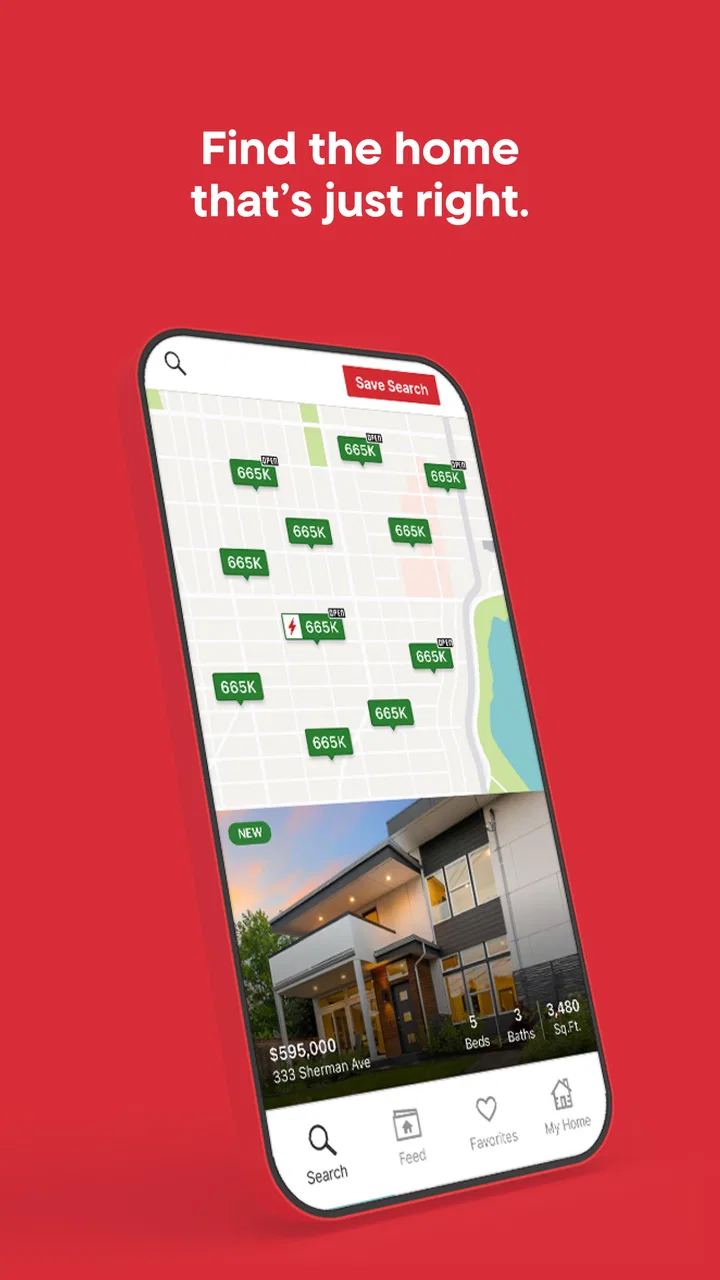
Redfin performs well on the first two points. The experience is centered on browsing available homes, opening individual listings, and deciding which ones deserve more attention. That sounds simple, but it makes a difference. A property app becomes frustrating when every search feels like starting over. Here, I found it more natural to begin with a general area, notice patterns in the available homes, and then narrow my attention around the features that actually matter to me.
The third point is where the app has a practical advantage. Someone who starts by looking for a purchase may later need a rental, while a renter may use the app to understand whether buying is even realistic in a preferred area. Keeping both types of search in the same app makes that change less disruptive. It also encourages a more grounded decision: instead of thinking only about one ideal property, I can compare the cost and availability of different paths.
Redfin has an average rating of 4.6 from around 164 thousand ratings, with roughly 21 thousand written reviews. It has also passed the ten-million-install mark. I do not read those figures as proof that every user will have a smooth experience, but they do suggest that the app has become a familiar option for people actively exploring the housing market.
Start with a question, not an endless scroll
My best results came when I opened the app with a specific question. For example, “What can I find within a practical commute?” is more useful than “Let me see what is out there.” A clear question helps me judge each listing against a real need instead of saving attractive homes that would never work financially or geographically.
I also recommend separating discovery from decision-making. During the first pass, I look for the general shape of the market: the kinds of homes appearing, the areas that keep showing up, and whether my expectations match reality. During the second pass, I revisit only the listings that meet my non-negotiable requirements. This two-stage habit prevents the app from turning into entertainment and makes the saved options more meaningful.
A less obvious benefit is that browsing can reveal trade-offs before I become emotionally attached to one address. A larger home may require accepting a less convenient location. A cheaper rental may involve giving up a feature I assumed was standard. The app is most valuable when I use those comparisons to adjust my priorities early, rather than treating every attractive listing as a personal disappointment when it fails one requirement.
What works especially well for buyers and renters
The strongest part of the experience is the basic property-search workflow. I can browse homes for sale and apartments for rent without needing to understand a complicated real-estate system first. The app gives me a visual way to explore possibilities, then lets me decide which listings deserve a closer look.
For buyers, that makes Redfin useful during the uncertain stage before contacting anyone. I can test whether a target area has the type of home I want and whether my expectations are too narrow. This is valuable for first-time buyers, who may not yet know which preferences are realistic. Instead of relying entirely on guesses from friends or general advice, I can inspect the market myself and form better questions for a lender, agent, or seller.
For renters, the value is slightly different. Renting often involves a tighter timeline, so a clean way to compare available apartments can reduce wasted effort. I would use the app to identify promising areas and build a short list before arranging viewings. That is more efficient than contacting every property that looks appealing at first glance.
The real strength is not simply finding a listing; it is turning a vague housing search into a comparison process. I can ask whether a home is worth the commute, whether a rental is worth stretching the budget, and whether a neighborhood deserves more investigation. That kind of judgment still belongs to me, but the app gives me a workable place to begin.
A realistic everyday scenario
Imagine that I am moving for work and have two months to find a place. I would begin with the areas that keep my commute reasonable, then browse both rentals and homes for sale. I might discover that the neighborhoods I assumed were affordable offer fewer suitable homes than expected, while a nearby area has more practical choices.
After that first exploration, I would create a short list based on essentials such as location, space, and overall affordability. I would revisit the list at different times rather than making a decision during one excited browsing session. If a property still looks sensible after I have compared it with alternatives, it becomes a candidate for a viewing or a more detailed conversation.
This workflow also helps when plans change. If buying starts to look too demanding, I can switch to rentals without abandoning the research I have already done. If renting feels like a poor long-term fit, the same browsing habit can help me investigate purchase options. The app does not make that decision for me, but it lowers the friction of considering both.
Small habits that make the app more useful
I would avoid saving every listing that catches my eye. A better approach is to keep the shortlist deliberately small and use it as a comparison board rather than a scrapbook. When too many properties are saved, the differences blur together and I stop remembering why each one seemed promising.
I also suggest writing down the reason a listing survived the first pass. Was it the location, the layout, the price range, or the possibility of renting instead of buying? That note does not need to be elaborate. It simply prevents me from reopening a property later and mistaking familiarity for suitability.
Another useful habit is to treat the app as an early-warning system for unrealistic expectations. If the same requirement repeatedly eliminates nearly every option, I have three choices: expand the search area, reconsider the requirement, or accept that the search will take longer. Seeing that pattern through repeated browsing is more informative than making a decision based on one unusually appealing listing.
Finally, I would verify important details before making commitments. A property app is excellent for discovery, but a listing should not be the only basis for judging condition, availability, total costs, neighborhood suitability, or legal obligations. I see Redfin as the place where I decide what deserves further investigation, not the final authority on whether a property is right.
Where other approaches may fit better
Redfin is not automatically the best choice for every housing search. If I already have a trusted local agent who maintains a highly personalized shortlist, an app may add less value than direct communication. In that situation, the app can still help with independent research, but it may not replace the guidance of someone who understands a very specific local market and my personal circumstances.
It may also be less suitable for someone who wants only a narrow rental experience. A dedicated rental service can feel more focused when the user has no interest in buying and wants to concentrate entirely on lease terms, move-in timing, or apartment-specific questions. I would choose Redfin when flexibility between buying and renting matters, not because every specialist alternative is inferior.
Likewise, someone who prefers a desktop-first research routine may find a mobile app less comfortable for long comparison sessions. I like the convenience of checking listings during spare moments, but serious decisions can require notes, documents, budget calculations, and multiple browser windows. In that case, I would use the app for quick discovery and then move the important comparison work into a more deliberate system.
The key distinction is between finding possibilities and completing a transaction. Redfin is strongest at the first stage. If I need highly tailored financial guidance, legal advice, inspection expertise, or a detailed local opinion, I would look beyond the app rather than expecting a property browser to provide all of that.
What switching to Redfin involves
The cost of switching is fairly low because the app is free. I do not need to commit money simply to explore homes, which makes it easy to test alongside another service. The real cost is attention: learning where I have saved properties, deciding which searches deserve regular checking, and avoiding duplicate work if I already maintain lists elsewhere.
That switching cost becomes more noticeable when I have spent time building a detailed process in another app or spreadsheet. Moving everything into a new tool can create confusion, especially if I cannot remember why a property was saved. For that reason, I would not switch in the middle of a highly organized search without a clear benefit. I would first use Redfin in parallel for a short period, compare the quality of the results and the ease of browsing, and then decide whether it deserves to become my main tool.
For a new search, however, there is little reason not to try it. The current version is 617.1, and the minimum operating-system requirement is version 12. That requirement is worth checking before installing, particularly on an older device. On a compatible phone, the free entry point makes experimentation straightforward.
One practical warning is that convenience can encourage passive browsing. Because opening listings is easy, I can spend time looking at homes without making progress. The solution is to set a purpose for each session: discover areas, reduce a shortlist, compare buying with renting, or prepare questions for a viewing. Without that discipline, no real-estate app will solve the underlying problem of an unfocused search.
Who should use it and who should skip it
I would recommend Redfin to first-time buyers who need to understand what their budget can realistically find, renters comparing several neighborhoods, and people whose plans may change between buying and renting. It is also a good fit for anyone who wants a convenient way to browse before involving an agent or arranging viewings.
I would be more cautious recommending it to users who already have a complete, trusted property-search workflow and do not want another source of listings to monitor. I would also not rely on it alone if the search depends on highly specialized advice or unusually detailed local knowledge. In those cases, the app may be a useful second opinion, but not the center of the process.
The Everyone rating makes it approachable for a broad audience, though the subject itself is naturally more relevant to adults making housing decisions. Since the app is free, the main question is not whether it is worth paying for; it is whether its browsing style matches the way I prefer to research a move.
My recommendation after using it
Redfin: Buy, Sell & Rent Homes earns a place on my phone because it makes the early stages of a housing search feel more manageable. I like using it to test assumptions, compare buying and renting, and reduce a broad market into a shortlist that deserves real attention. Its free access removes the biggest barrier to trying it, and its established presence makes it a sensible first stop for many users.
My recommendation comes with one condition: use it as a decision aid, not as a decision replacement. Check the details that matter, visit properties when possible, and bring in qualified help for financial, legal, or inspection questions. The app is at its best when it helps me ask better questions and spend less time on unsuitable listings.
If I were starting a housing search today, I would install it and use a focused workflow: explore broadly, save selectively, compare against real requirements, and verify everything important before moving forward. If I wanted only a specialized rental service or already had expert local support, I would treat Redfin as an optional companion rather than my only resource. For everyone else, it is a practical, approachable way to begin turning a stressful search into a clearer plan.
FAQs for Redfin: Buy, Sell & Rent Homes
01What features does the Redfin app offer for home buyers?
The Redfin app provides users with a comprehensive suite of tools for home buying. It includes up-to-date listings, detailed property descriptions, high-resolution photos, and virtual tours. Users can also set custom alerts for new listings and price drops, making it easier to stay informed about potential opportunities. Additionally, the app offers a mortgage calculator and access to Redfin agents for personalized assistance.
02How does Redfin ensure the accuracy of its real estate listings?
Redfin updates its listings every 5 minutes, ensuring users have access to the most current information available. The app sources its data directly from Multiple Listing Services (MLS) and partners with local real estate agents to verify information. This frequent and reliable updating process helps users trust the accuracy of the listings they are viewing.
03Is it possible to schedule a home tour through the Redfin app?
Yes, users can easily schedule home tours directly through the Redfin app. The app provides a straightforward interface for selecting available times and dates for tours, which can be conducted in person or virtually with a Redfin agent. This convenience allows users to efficiently plan visits around their schedules and get a firsthand look at properties of interest.
04What are the benefits of using Redfin over other real estate apps?
Redfin distinguishes itself with its commitment to transparency and user experience. It offers a unique pricing model with lower commission fees, providing significant savings for both buyers and sellers. The app also integrates advanced search filters and data analytics, giving users deeper insights into market trends and neighborhood information. Additionally, Redfin agents are salaried employees, ensuring their advice is unbiased and client-focused.
05Are there any costs associated with using the Redfin app?
The Redfin app is free to download and use, providing access to all its features without any upfront costs. However, if users choose to buy or sell a home using a Redfin agent, they will benefit from reduced commission fees compared to traditional real estate agencies. These fees are clearly outlined and only apply upon the successful closing of a transaction.
Pros
- User-friendly interface for easy navigation.
- Comprehensive property listings with photos.
- Customizable search filters for precise results.
- Daily updates on new listings and price changes.
- Integrated mortgage calculator for budgeting.
Cons
- Limited availability outside the U.S.
- Occasional delays in listing updates.
- Some features require account sign-in.
- Can be data-heavy on mobile plans.
- In-app ads may disrupt user experience.

Redfin: Buy, Sell & Rent Homes
Gallery